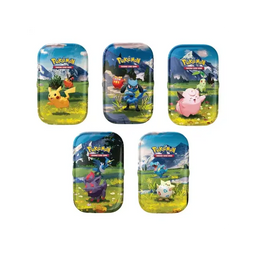
tcg app Guide: Organize Your Collection and Build Better Decks with tcgshops.com
Meet the tcg app and the Future of Smarter Collecting
Trading card games have never been more exciting or more complex. With new sets, special releases, alternate arts, and competitive staples dropping constantly, players and collectors need tools that keep up. That is where a tcg app can make a real difference. Whether you are organizing a growing binder, building a tournament-ready deck, or tracking what you still need for a complete set, the right tcg app helps you stay on top of your collection and your goals without turning the hobby into a spreadsheet.
At tcgshops.com, we love the thrill of cracking packs and upgrading decks. We also know how quickly a collection can grow across Pokemon, Riftbound, One Piece, and Magic. In this guide, we will break down what a tcg app is, the key features players care about most, and how to use one to make buying and collecting decisions with confidence.
Key Features Players Want in a tcg app
A tcg app is designed to simplify the parts of the hobby that can get time-consuming. While each app is different, most great options focus on a few core features that help both casual collectors and competitive players.
Collection tracking so you know what you own, what you need, and what you have duplicates of.
Deck building tools to test ideas, save multiple builds, and refine your strategy over time.
Set organization and checklists to support master set collectors and completion goals.
Card scanning or quick entry features to add cards fast after opening packs or making trades.
Wishlists to plan future purchases and prioritize the cards you actually want.
When these features work together, a tcg app becomes more than a digital binder. It becomes the planning center for your hobby.
Main Details: How a tcg app Helps Pokemon, Riftbound, One Piece, and Magic Players
Different games come with different collecting and play patterns. A solid tcg app supports them all by helping you manage the details that matter most.
Pokemon: From Binder Goals to Playable Decks
Pokemon collectors often juggle set completion, promo cards, and chase variants. A tcg app can help you track which versions you already have and reduce accidental duplicate purchases. For players, it is great for keeping lists of staples for current formats and quickly spotting what you still need to finish a deck.
If you shop at tcgshops.com, having your wishlist and collection list ready makes it easier to focus on the singles, packs, and accessories that match your goals.
Riftbound: Staying Organized as New Cards Drop
Newer and fast-evolving games can be especially demanding. A tcg app makes it easier to log your pulls, monitor playsets, and keep track of deck ideas as the metagame develops. You can build multiple versions of a deck, test changes, and keep notes on what you want to trade or pick up next.
One Piece: Managing Rarity, Leaders, and Trade Value
One Piece collectors often focus on specific character cards, leaders, or high-demand alternate art prints. A tcg app helps you categorize by set, rarity, and role in deckbuilding. For competitive play, tracking how many copies you own and what is already in a deck saves a lot of time when you are swapping cards between builds.
It also helps with trades. When you know exactly what you have and what you need, trading becomes smoother and more rewarding.
Magic: Keeping Up With Formats and Staples
Magic players commonly build for multiple formats, from casual Commander to competitive play. A tcg app can help you keep separate decklists, track which cards are shared between decks, and plan upgrades without buying duplicates. For collectors, it is useful for logging special treatments and versions so you always know what is actually in your collection.
Practical Tips for Getting the Most Out of a tcg app
Getting started is simple, but using your app well can save you money and improve your experience.
Start with your current decks or your favorite binder page. Entering everything at once can feel overwhelming, so build momentum with your most-used cards.
Create a wishlist for each game you play. Separate your competitive needs from your collector wants so you can prioritize purchases.
Track duplicates intentionally. Duplicates are not clutter if you label them as trade stock.
Before you buy, check your app. It is an easy habit that prevents accidental double buys, especially with similar card names or multiple printings.
Use the app to plan upgrades. Save alternate deck versions and note what changes you want to test next.
These small habits add up quickly and make your time in the hobby feel more organized and more fun.
Bring Your TCG Hobby Together With tcgshops.com
A tcg app is one of the best tools a player or collector can use to stay organized, build better decks, and shop smarter. When you know what you own and what you need, every pack opening, trade, and purchase becomes more satisfying.
If you are looking to expand your collection or upgrade a deck for Pokemon, Riftbound, One Piece, or Magic, keep an eye on tcgshops.com. The products discussed in your planning, wishlists, and deck ideas will be available at tcgshops.com, and you can subscribe to our newsletter to find out when items are available for purchase.