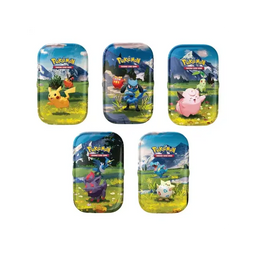
TCG Pokemon Simulator Guide: Practice Smarter, Test Decks Faster, and Build with Confidence
Discover the TCG Pokemon Simulator Experience
If you love the strategy of the Pokemon Trading Card Game but cannot always make it to league nights or find time to test new ideas in person, a tcg pokemon simulator can be a game-changer. Simulators recreate the flow of real matches, letting you practice turns, learn matchups, and refine deck lists with less pressure. For newer players, it is a friendly way to understand rules, card interactions, and pacing. For collectors and competitive players, it is a practical tool to explore new sets and archetypes before committing to physical cards.
At tcgshops.com, we support every part of the hobby, from building your first deck to upgrading a tournament-ready list. If you are using a tcg pokemon simulator to test strategies, you can turn that progress into a real collection by picking up Pokemon, Riftbound, One Piece, and Magic products when you are ready.
Key Features Players Look For in a TCG Pokemon Simulator
A strong tcg pokemon simulator is designed to mirror how the Pokemon TCG feels on the table. While each platform differs, most players focus on a few essential features that make practice realistic and rewarding.
- Deck building and editing that supports current formats so you can experiment with multiple versions of the same strategy
- Automated rules handling for common actions like drawing, shuffling, prize cards, status conditions, and turn steps
- Practice modes that let you learn a deck at your own pace before jumping into competitive games
- Matchup testing so you can evaluate consistency and game plans against popular archetypes
- Collection-style organization tools that make it easier to keep track of deck ideas by set or archetype
These features matter because Pokemon TCG success often comes down to sequencing. A simulator helps you practice small decisions, such as when to search, when to thin the deck, and when to conserve resources for later turns.
How to Use a TCG Pokemon Simulator to Improve Your Real Gameplay
The best way to treat a tcg pokemon simulator is like a training tool. Instead of only playing random matches, go in with a goal. Here are practical ways players use simulators to improve results with physical decks.
Learn the Ideal Opening and Setup
Many games are decided by the first two turns. Use the simulator to repeat opening hands and practice your early sequencing. Focus on getting the right basic Pokemon down, planning your search cards efficiently, and setting up your draw engine. After a few sessions, your early turns will feel smoother in real matches.
Test Consistency Before Buying Cards
If you are deciding between two deck lists, simulate multiple games and track how often you achieve your main setup by turning two or three. Pay attention to the number of unplayable hands and the situations where you run out of resources. When you find the version that feels most consistent, you can confidently build it in paper.
Practice Matchups and Side Plans
Pokemon TCG does not use sideboards in the same way some other games do, but matchup planning still matters. A tcg pokemon simulator makes it easier to play repeated games against a specific archetype. You can learn when to take aggressive prize trades, when to slow the game down, and which targets matter most. This repetition is especially valuable for league players preparing for bigger events.
Refine Your Deck List With Purpose
Instead of changing many cards at once, adjust one to three cards and re-test. This helps you identify what actually improves the deck. Simulators are great for exploring ratios, such as extra draw support, an additional switching option, or tech attackers for a specific matchup.
Main Details That Matter When Choosing Your Cards After Testing
Once a tcg pokemon simulator helps you settle on a strategy, the next step is turning that list into a real deck. Here are the main details to focus on when you start shopping.
- Core engine pieces first, such as your main attackers, search cards, and consistent draw options
- Staples that carry across decks, which are smart long-term investments for both casual and competitive play
- Upgrades that improve consistency, like better counts of key trainers and reliable energy lines
- Protection and presentation, including sleeves, deck boxes, and binders to keep your collection in top condition
If you are also a collector, simulator testing can guide what you chase. When you fall in love with a deck, you may want the matching illustration rares, full arts, or premium versions of the key cards. That is where collecting and playing meets in the best way.
Bring Simulator Practice Into Your Real TCG Routine
A tcg pokemon simulator is not a replacement for physical play, but it is one of the easiest ways to stay sharp between meetups. The more you practice clean sequencing and matchup plans digitally, the more confident you will feel at the table. And when you are ready to turn your tested list into a real deck, it helps to have a shop that supports every stage of the hobby.
Pokemon, Riftbound, One Piece, and Magic products will be available at tcgshops.com. Check our store page and subscribe to our newsletter so you can be the first to know when new releases, restocks, and deck-building essentials are available for purchase.
Conclusion
If you want to learn faster, test smarter, and build better decks, a tcg pokemon simulator is a practical tool that fits any schedule. Use it to explore ideas, sharpen your sequencing, and confirm your final list. When you are ready to collect or upgrade in paper, visit tcgshops.com and stay connected through our newsletter for the latest product availability.